Westudy.ua · 2024–2025 · Web
Modern Website Builder for Schools and Authors
Goals:
- — Make it easy to create websites for schools and course authors.
- — Reduce churn among users unhappy with the old builder.
What we measured:
- — Number of sites created with the updated editor.
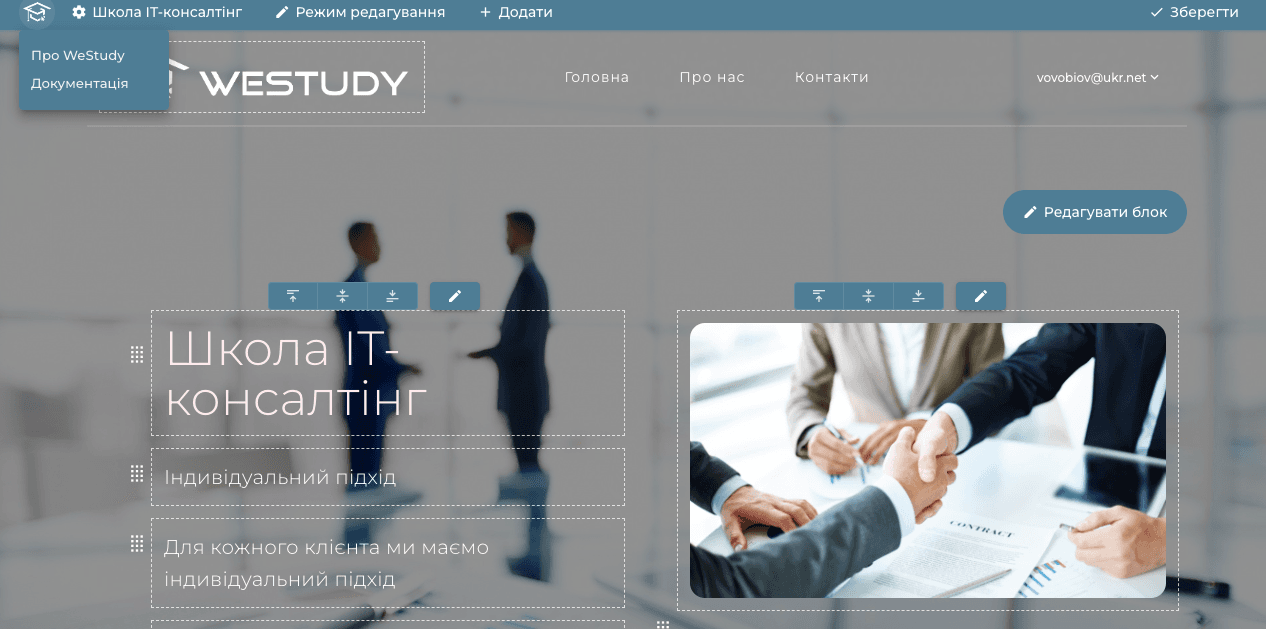
The previous website builder had minimal capabilities and didn't meet user needs — it had numerous UX issues and technical bugs that needed fixing. During development we talked to users, researched competitors, and surveyed users who already had a site. By default it also created sites with irrelevant visual content.
Interview insights:
- — Most users highlighted problems with the mobile version — it didn't work correctly and had numerous technical issues.
- — Users who tried to build a site spent too much time doing so, eventually switching to other platforms or leaving the service entirely.
- — The tool didn't provide enough functionality.
- — Creating a site required a lot of time spent on edits and communication with support.
Competitor analysis insights:
- — Users said they'd prefer everything in one place without paying multiple services — so we studied which platforms they used and why.
- — Most built sites on Tilda, which was very popular before Russia's full-scale invasion, and users kept using it because they didn't see alternatives.
Solutions
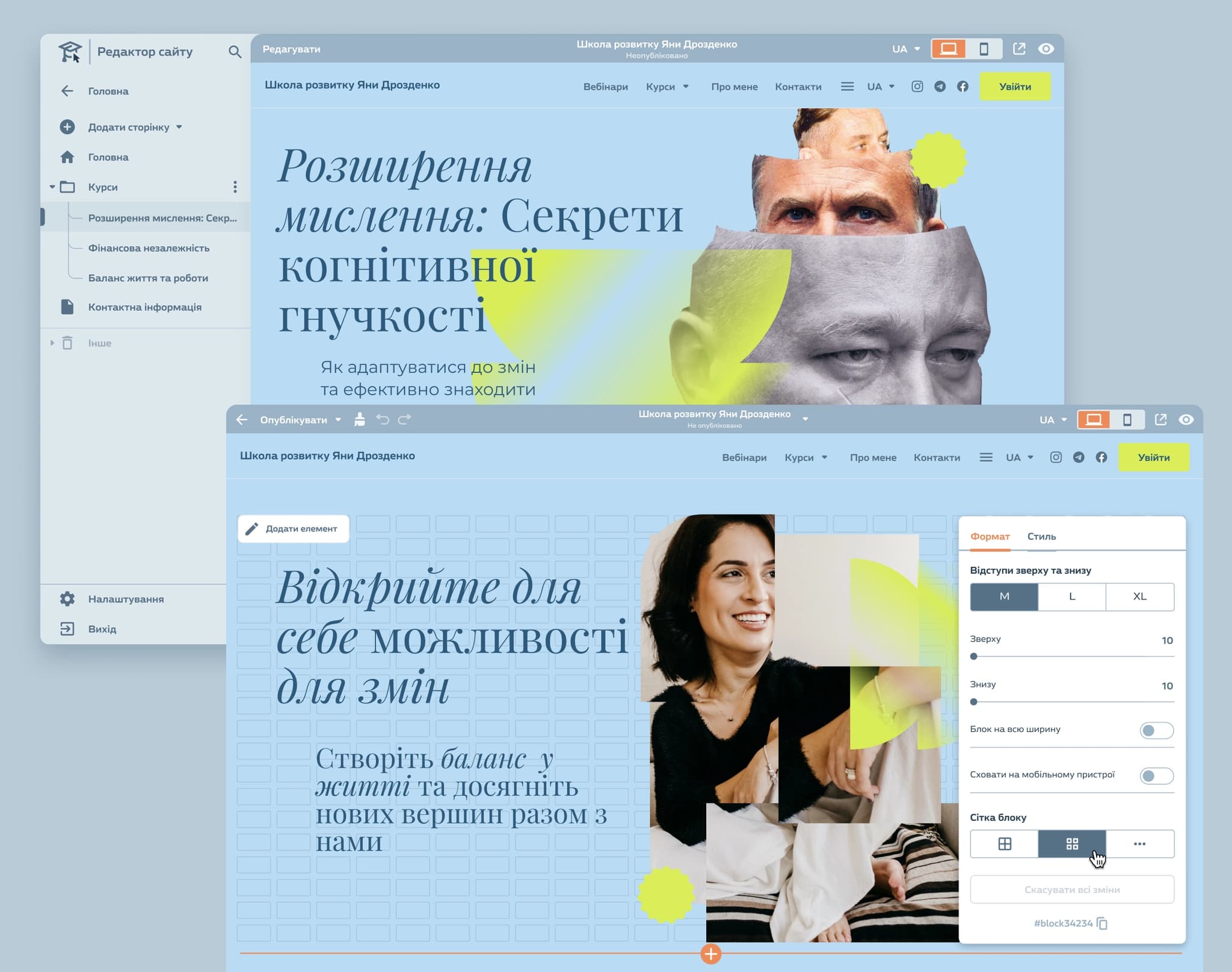
- — Auto-generated default site. We rethought the site concept — by default users get a site automatically built from their existing content. Nothing is required from them except preparing their product and connecting a payment system.
- — Website editor. For users who need more — such as a custom-designed author site — we gave them the ability to do so in the updated editor.
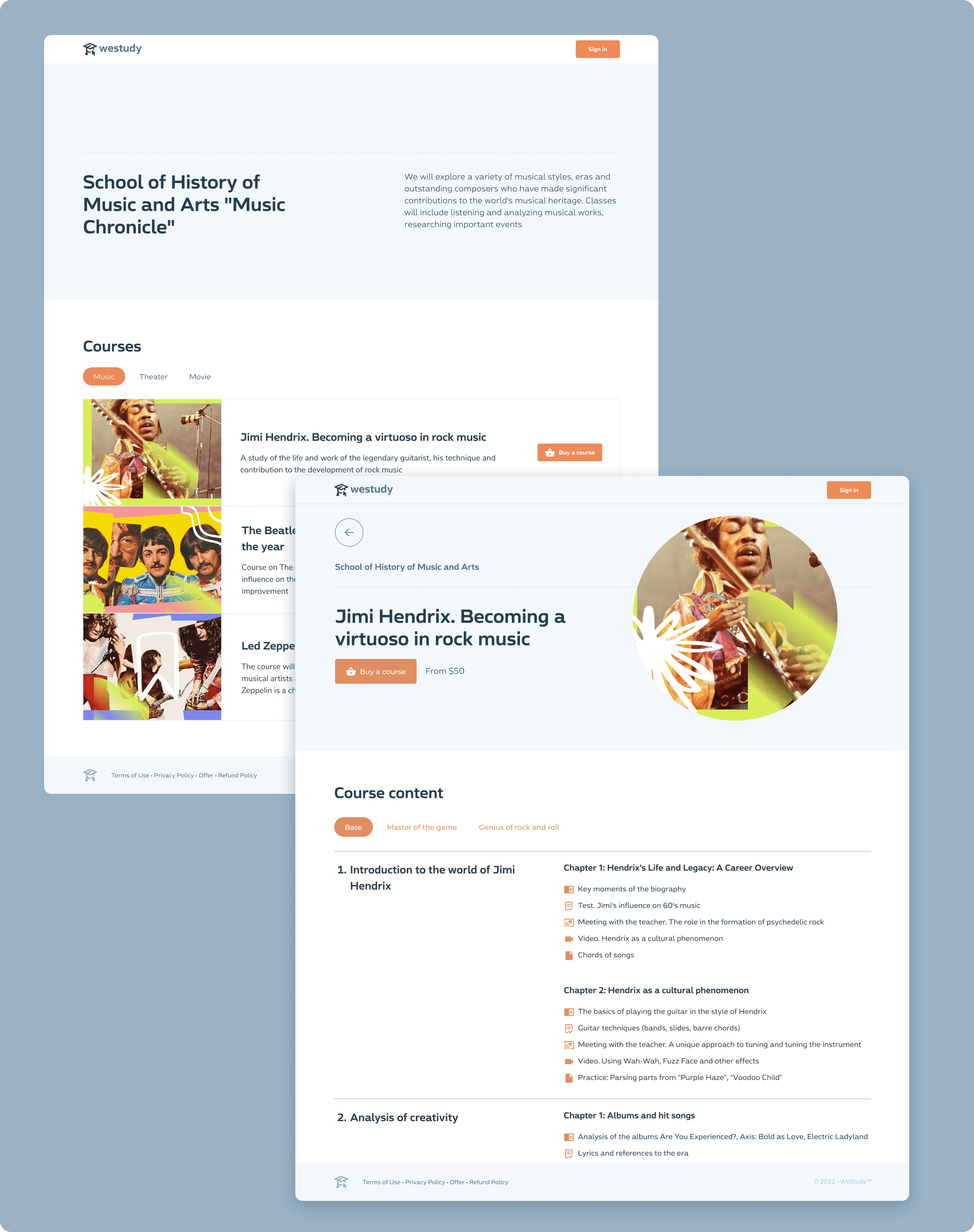
Auto-generated site for all authors
- — When an author publishes a course, it's automatically available via a link on the auto-generated site.
- — All the author needs: images, a short description for each course, and a price.
Updated website editor
- — Updated the platform and rethought the page-building philosophy — based on a two-level approach: level one is cells you can use to build any block; level two is ready-made block templates (courses, contacts, etc.).
- — Style settings — a global panel where everything is configured.
- — Page creation from block templates.
- — Site creation from site templates.
Custom blocks
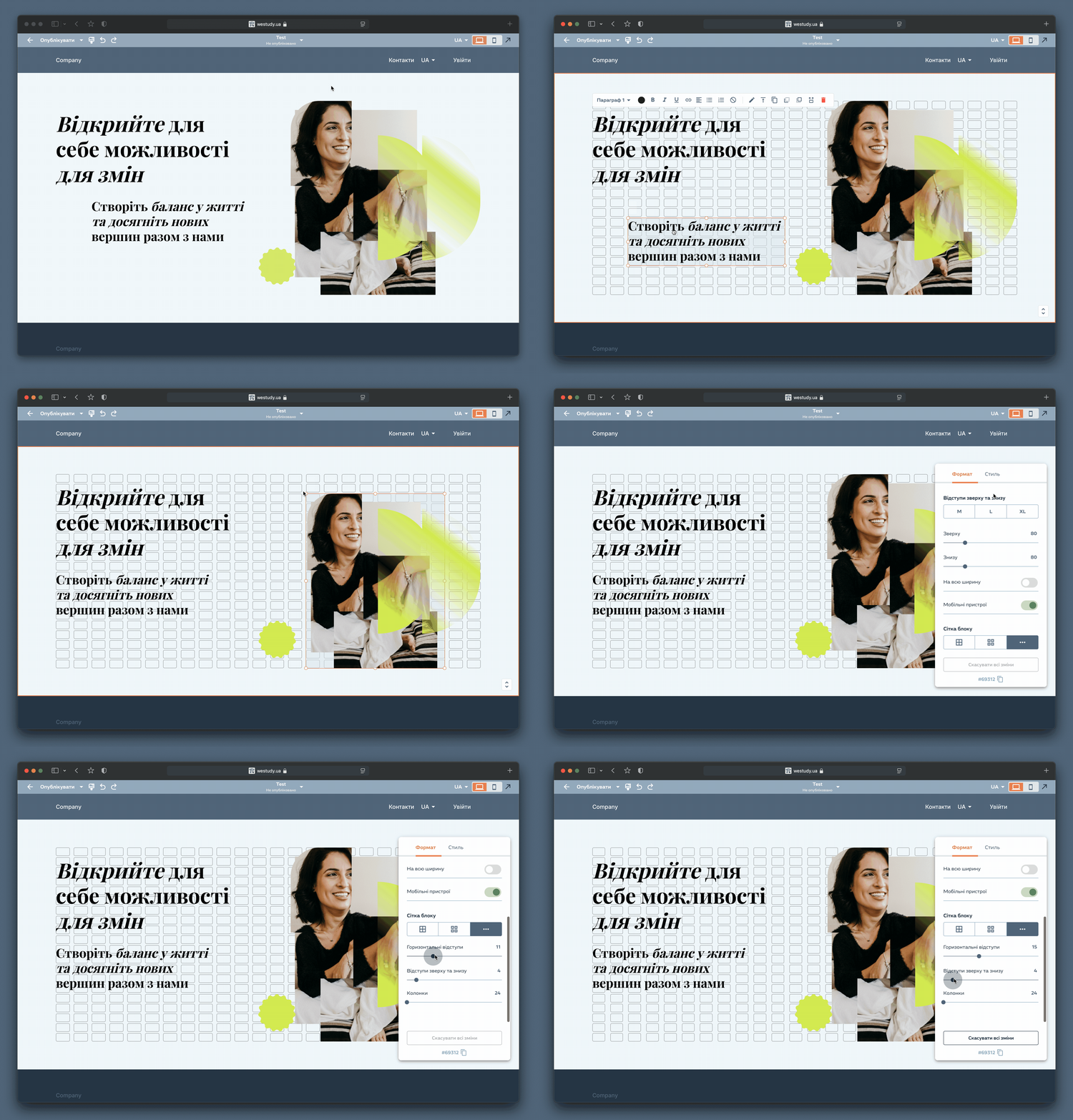
These blocks allow any design to be created using configurable cells. The standard is a 24-column grid the service recommends by default.
Designed for users who want more uniqueness for their project, or who can bring in professional designers.
Site settings
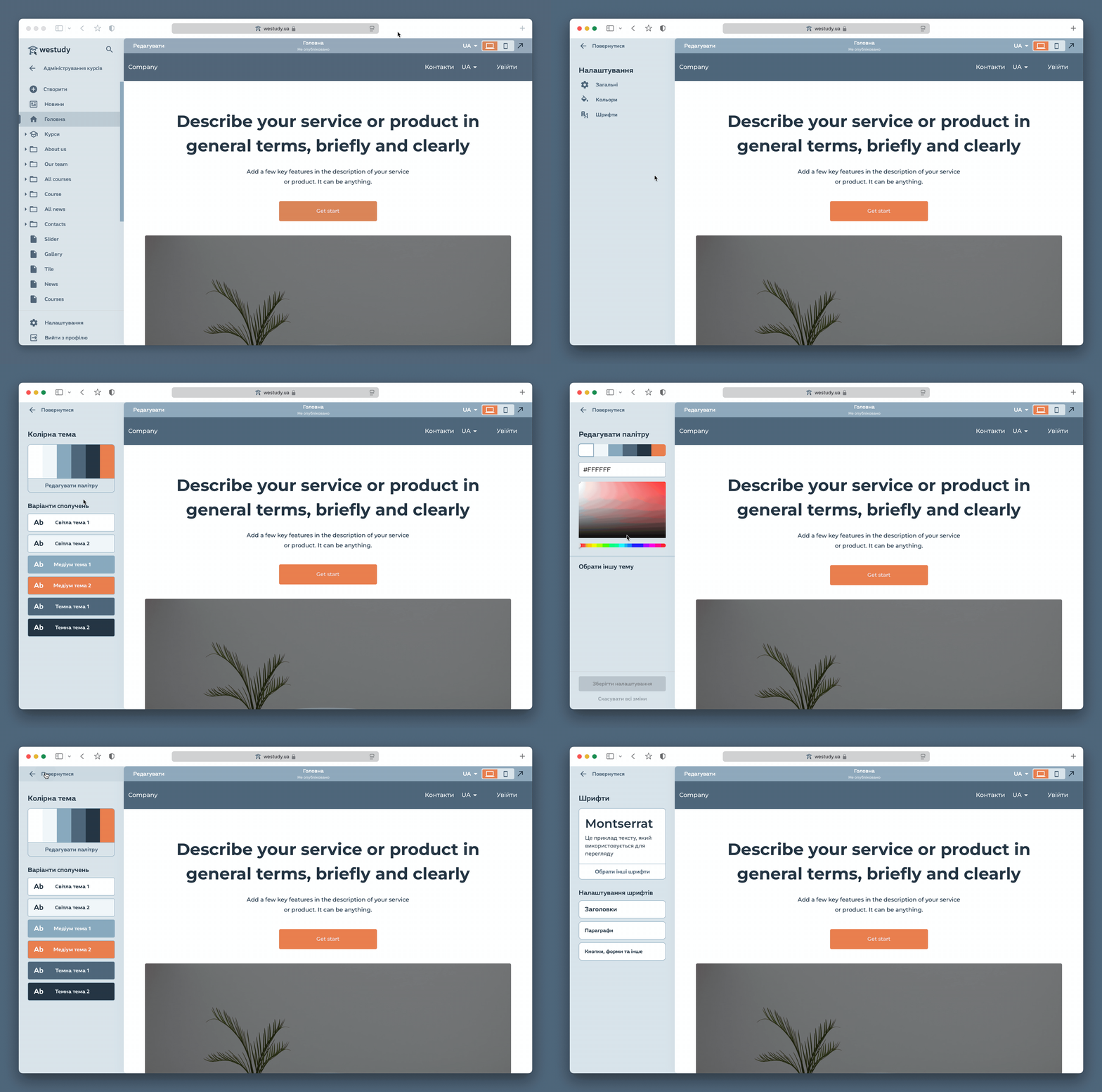
Global style settings exist alongside per-block and per-element settings. You can configure the entire site style at once — colours, fonts — without doing it manually for each page.
The system supports full customisation, but is designed so users change as little as possible — typically just colour and font.
Results
After the updates, with the help of designer partners, we refreshed existing users' sites, tested the service in real conditions, fixed numerous technical issues, and refined the UX.
The new editor capabilities and the updated auto-generated sites stopped churn among dissatisfied users, and the product received many positive reviews.